#StudyCase
AI Policy Creation
This AI-powered feature simplifies complex insurance workflows. I used AI-assisted design to transforms fragmented data into a clear path.
| Sector | Insurance · AI · B2B |
| Challenge | Manual work, complexity, lack of trust |
| Role | Product Designer |
| Duration | 3 weeks |
Context
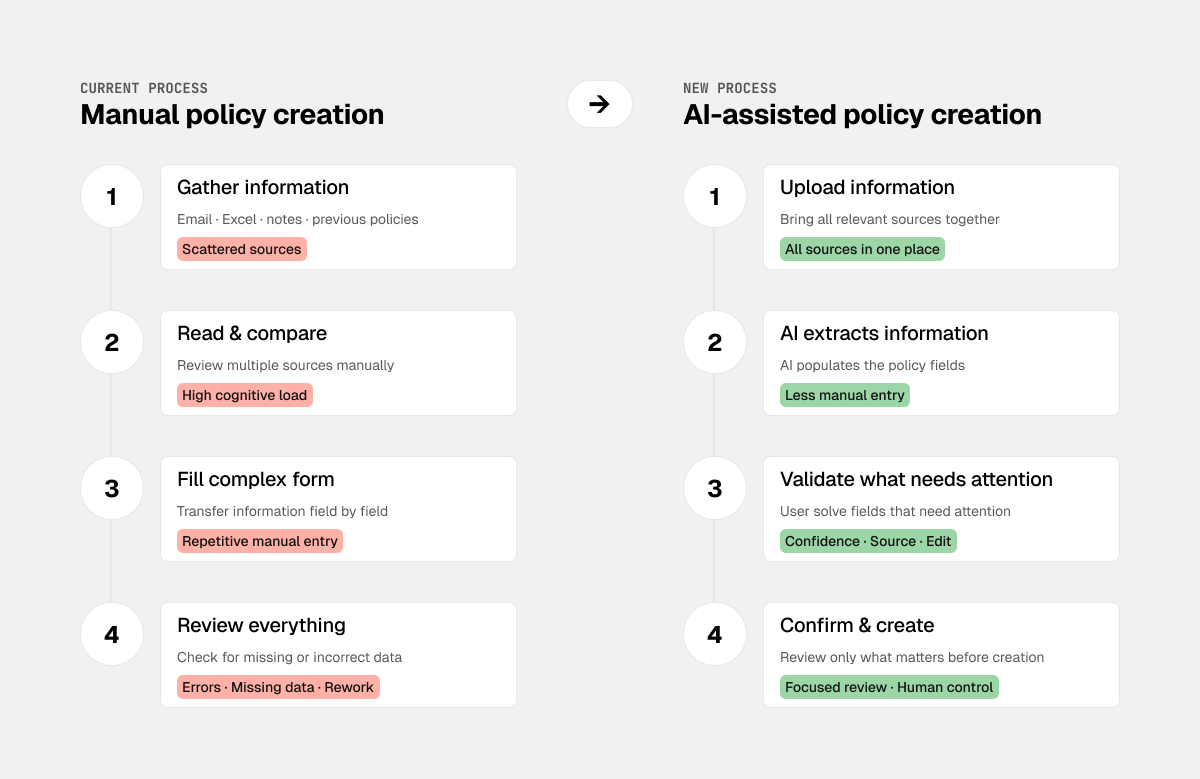
Creating an insurance policy requires gathering information from emails, spreadsheets, notes and previous policies and transferring it into a complex form.
The opportunity: use AI to reduce repetitive work while keeping people in control.
Estimated time required for this process:
minutes
Impact
Testing with 4 users confirmed the flow felt intuitive and usable, but revealed a stronger need for confidence and source visibility.
It changed the interface from showing AI output to helping people evaluate it.
Manual process
- Manual extraction
- Repetitive tasks
- Need to review external sources
- Review every field
- Hidden uncertainty
- Less manual effort
- Faster review
- Greater confidence
%
Time reduction*
*Estimated target, not a measured production result, due to data privacy constraints.
My Role
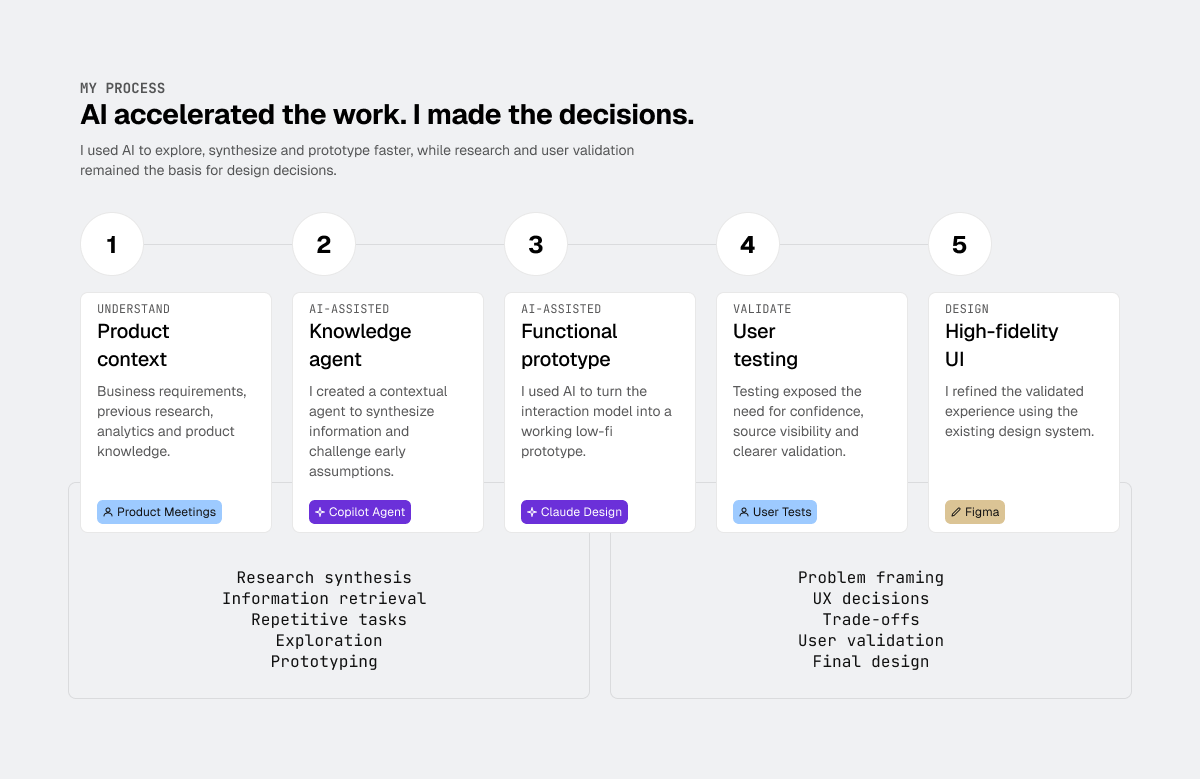
I translated AI extraction into a workflow people could understand, validate and control.
I used product context, business requirements, research and analytics to create a knowledge agent, prototype the experience with AI, validate it with users and refine the final UI within the design system.
Research → AI agent (Copilot) → Prototype (Claude Design) → User testing → Figma
AI accelerated my process. It didn’t make the design decisions.
Problem
Users need to reduce manual work without losing transparency, control, or trust.
Errors generated by AI can result in significant resource loss.
Research
I tested the low-fidelity prototype with 4 users who regularly create policies, asking them to complete the full flow. All of them stopped at the same point: they could see what the AI had extracted, but not where it came from or how reliable it was.
AI can extract the information.
People still need to trust it.
I translated our research insights into four principles:
Trust
Show source and confidence
Control
Keep values editable
Attention
Surface uncertainty first
Recovery
Provide a clear next step when information is missing
Solution
I used Claude Design to build a functional low-fidelity prototype for product testing and validate the interaction before moving to high-fidelity design.
I designed a three-step workflow to cover user needs:
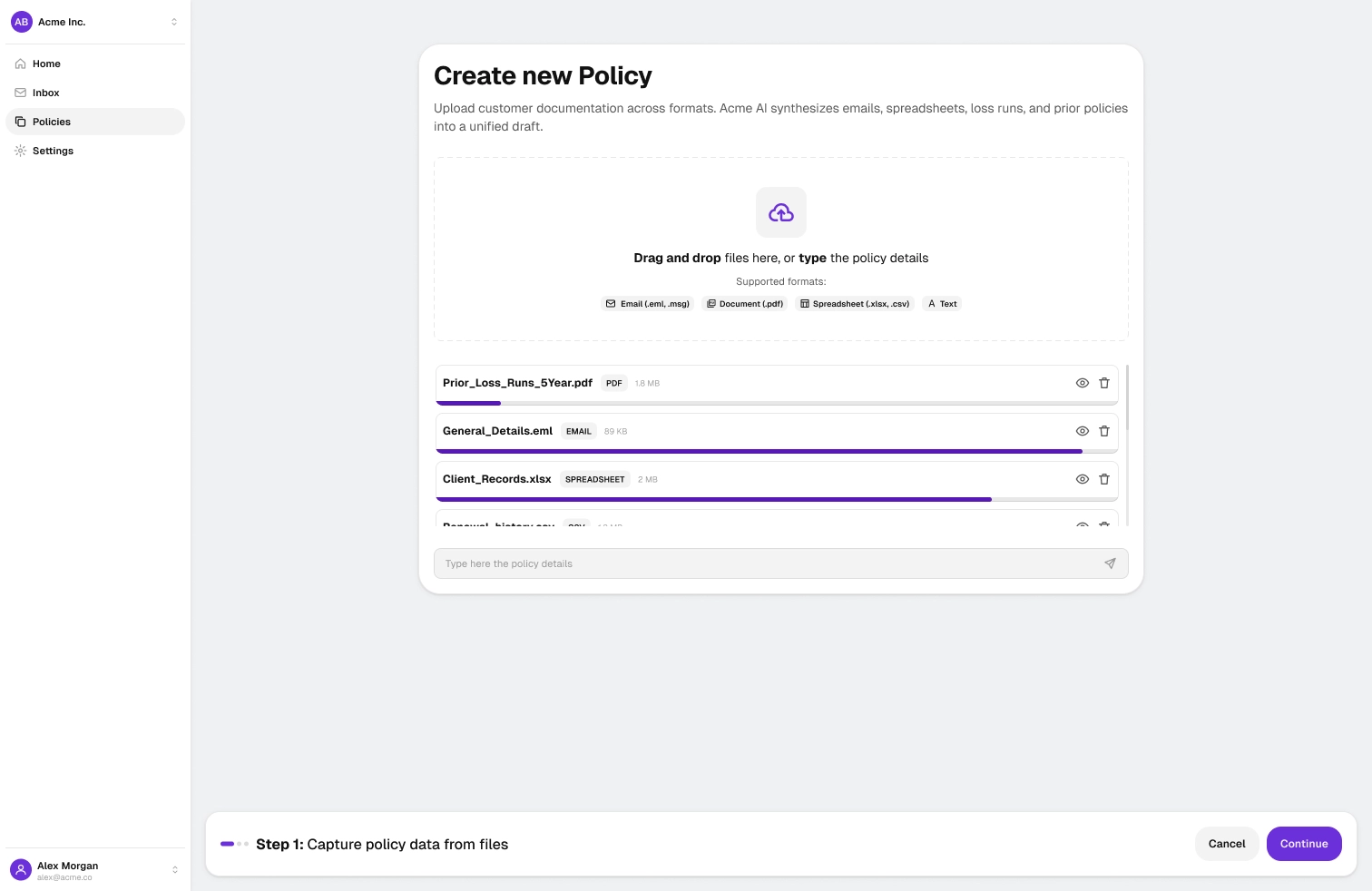
Step 1: Capture policy data from files
Objective: Easily attach all the information from emails, files, and text.
I used a conversational interface similar to other AI tools to leverage users’ learned behaviors and support multiple information formats.
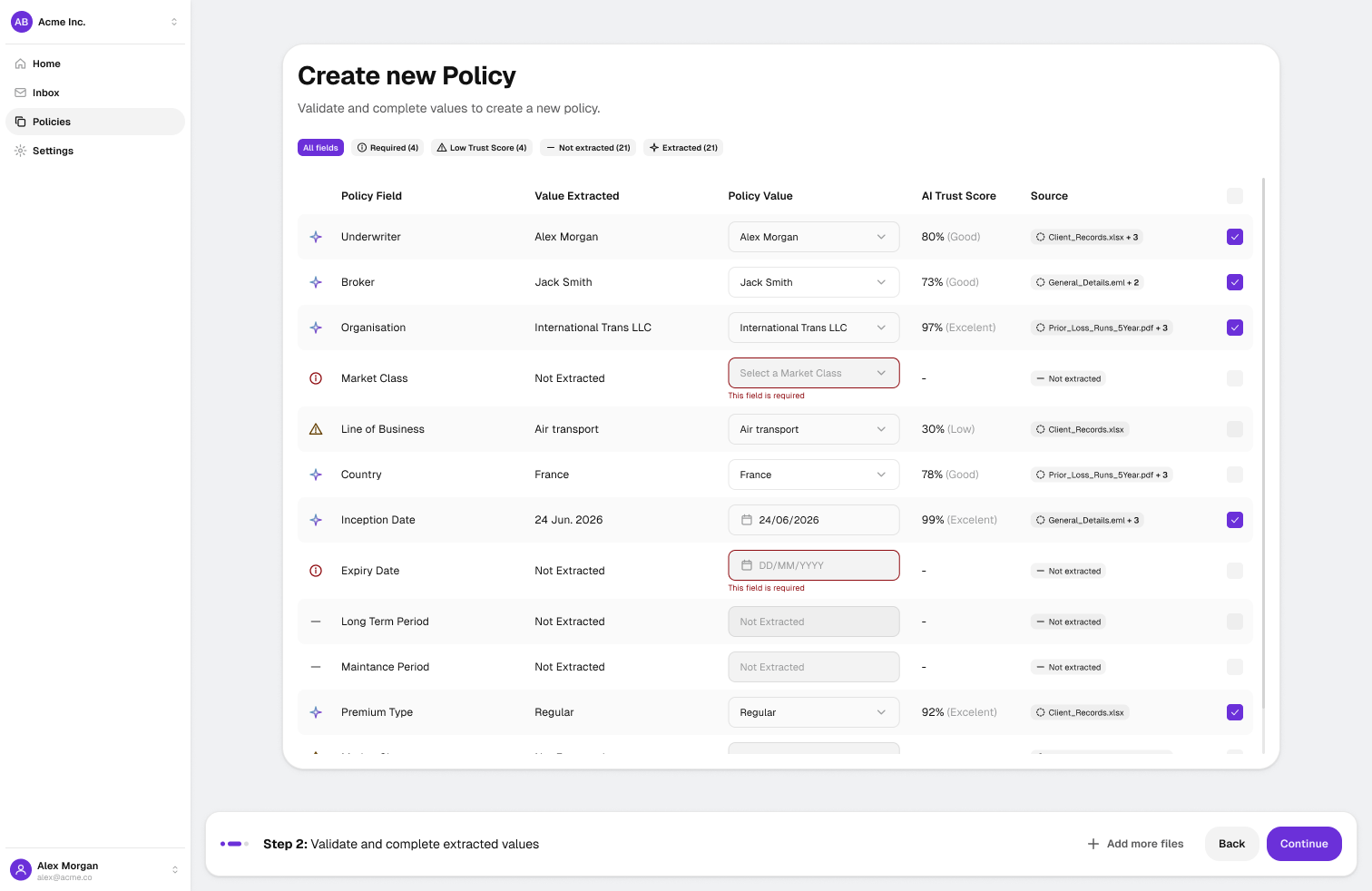
Step 2: Validate and complete extracted values
Objective: Visually identify which fields have been extracted, their confidence levels, and which fields could not be extracted.
I designed a visual interface that allowed users to identify and manipulate extracted data at a glance. I prioritized fields requiring attention, such as required fields that were not extracted or values with low confidence.
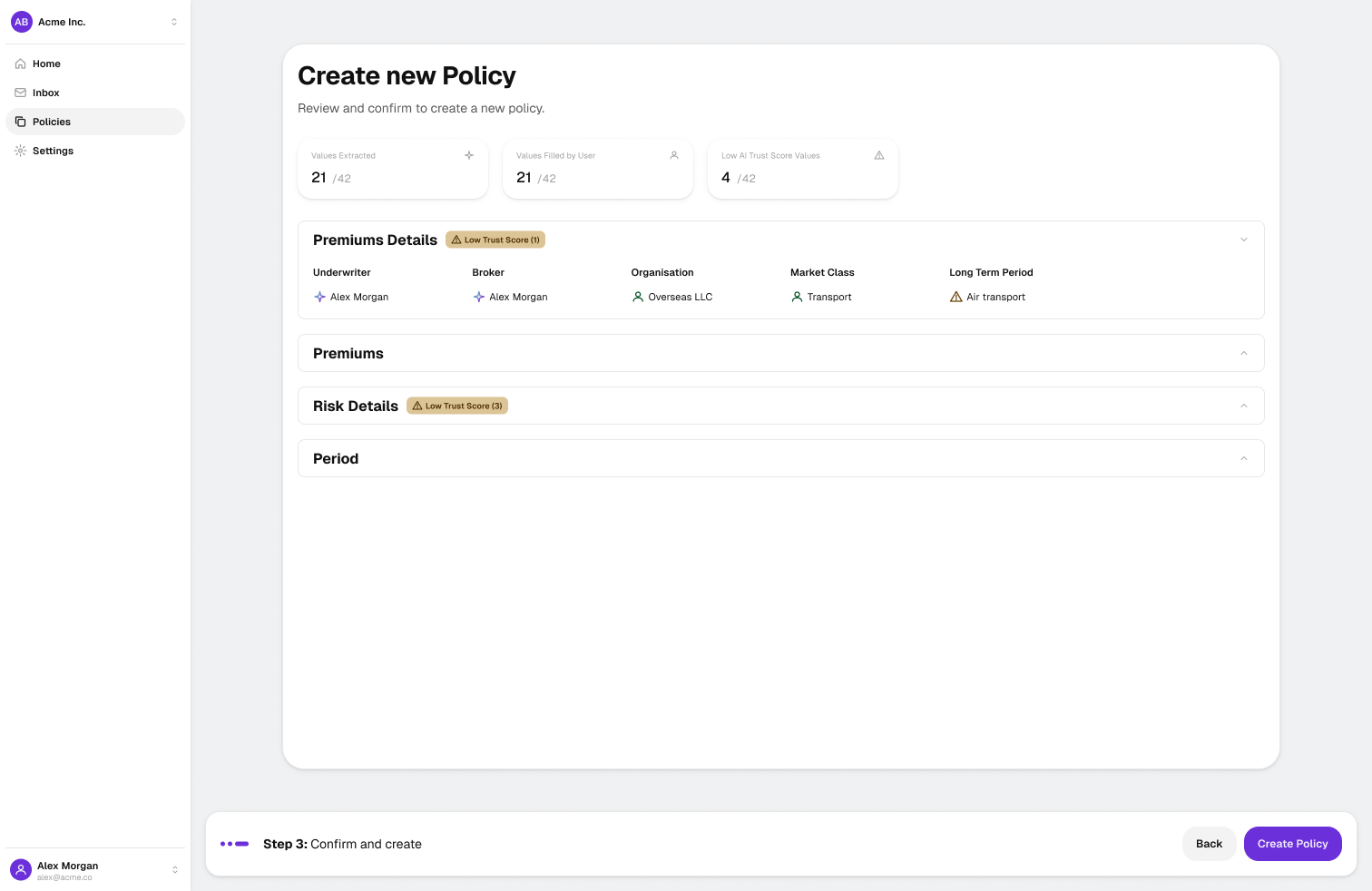
Step 3: Confirm and create
Objective: Double-check the information that will be included in the policy and confirm its creation.
I retained key visual alerts to highlight important information and added a final confirmation step to help users catch potential errors before creating the policy.