
#StudyCase
Talleres Sáez:
Appointments
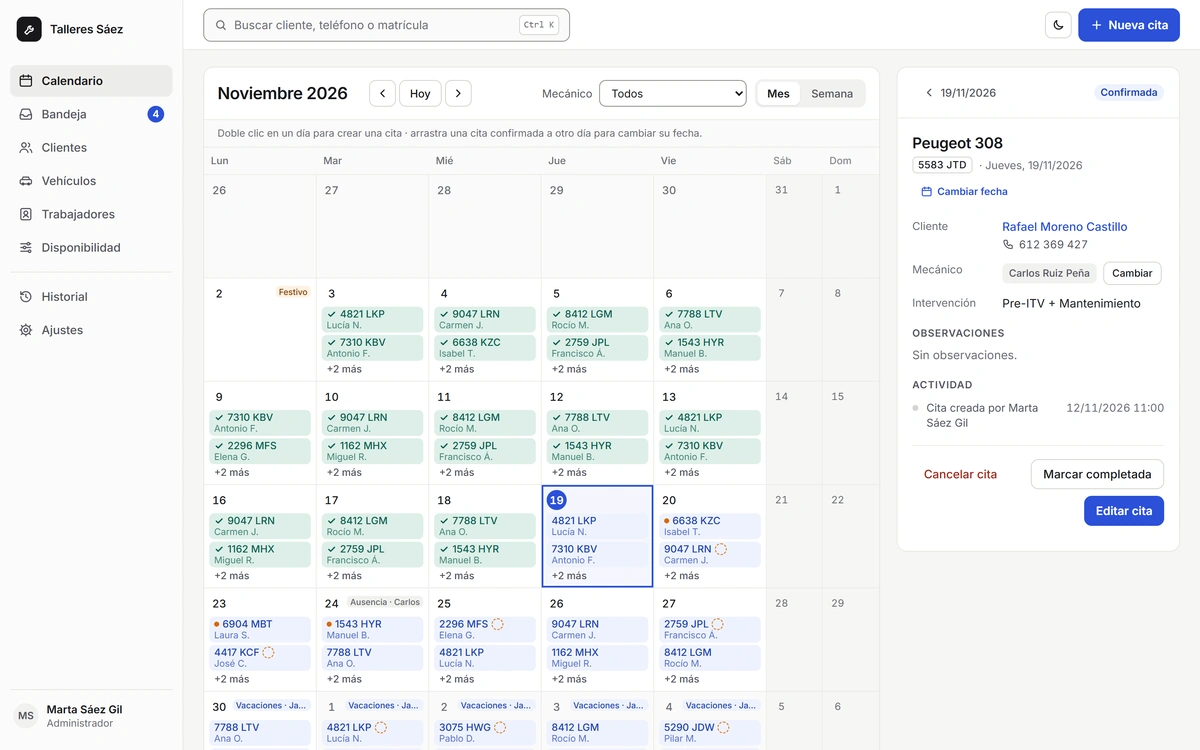
I designed and built an appointment management system for a car repair workshop, replacing a spreadsheet with one tool for the admin team, the mechanics and the customers.
| Sector | Automotive · B2B · Small business |
| Challenge | Slow admin work, forgotten appointments, no visibility of workload |
| Role | Product Designer & Builder (end-to-end) |
| Duration | 2 weeks |
Context
Talleres Sáez managed its appointments in a Excel spreadsheet with one cell per day of the year. Every year someone spent about an hour building it and adding the bank holidays by hand. Customer details lived in a separate program, so every appointment meant searching in two places.
The opportunity: give the workshop one shared calendar, without adding complexity to a small team’s day.
Impact
The app is in production. In its first week the workshop created 22 appointments with it. I tested every flow with the admin team and the mechanic, and none of them ran into friction.
4 minto37 s
Average time to create an appointment for a new customer (3 tests)
1 hto0
Yearly calendar setup. Holidays and closures come pre-loaded.
2 toolsto1
Calendar and customer data in the same place
“One less headache.”
“Now I know what I have to work on in one click.”
“I no longer have to write my appointment down.”
| Spreadsheet process | Talleres Sáez app |
|---|---|
| Spreadsheet processYearly manual setup | Talleres Sáez appReady from day one |
| Spreadsheet processCustomer data in another program | Talleres Sáez appCustomer and vehicle in one search |
| Spreadsheet processPhone calls for every change | Talleres Sáez appChange requests arrive as alerts |
| Spreadsheet processThe mechanic asks what's next | Talleres Sáez appThe mechanic sees his own week |
| Spreadsheet processCustomers forget appointments | Talleres Sáez appAutomatic SMS reminders* |
* The effect of the SMS reminders on missed appointments is not measured yet.
My Role
I owned the product end to end: research, product definition, design, build and testing with the people who use it. No Figma: I wanted to test whether I could frame a problem well enough to design it directly in code.
Research
Problem definition
Prototype (Claude Design)
Build (Claude Code)
User testing
Production
AI wrote the code. I made the decisions.
Before writing a single prompt, I defined the problem, the users, the core features, the data to store, the technical specs, the screens, the MVP and the expected outcome. Then I split the work into small tasks, so I could review each one before moving on instead of iterating on the same design again and again.
AI kept proposing more features. I cut them down to the essentials. New features will come from real needs, not assumptions.
Problem
The workshop’s process depended on a spreadsheet that was slow to fill, hard to search and invisible to the people who needed it.
Slow to fill
Hard to search
Invisible to the people who needed it
Research
I interviewed 4 people in person:
1Admin
1Mechanic
2Customers
Insights:
- Customers forgot their appointments. Bookings were often weeks or months ahead, and many customers didn’t write them down.
- The spreadsheet was slow. It was hard to fill, search and analyse, and customer data lived in a separate program.
- The mechanic had no visibility. He didn’t know which jobs were coming that week or how much work he had.
- Changes meant interruptions. Rescheduling required phone calls, often when the line was busy or the team was at its busiest.
The workshop didn’t need more features. It needed fewer places to look.
I turned the insights into four principles:
Control
The workshop decides the dates
Context
Designed for someone with a phone in their hand
Prevention
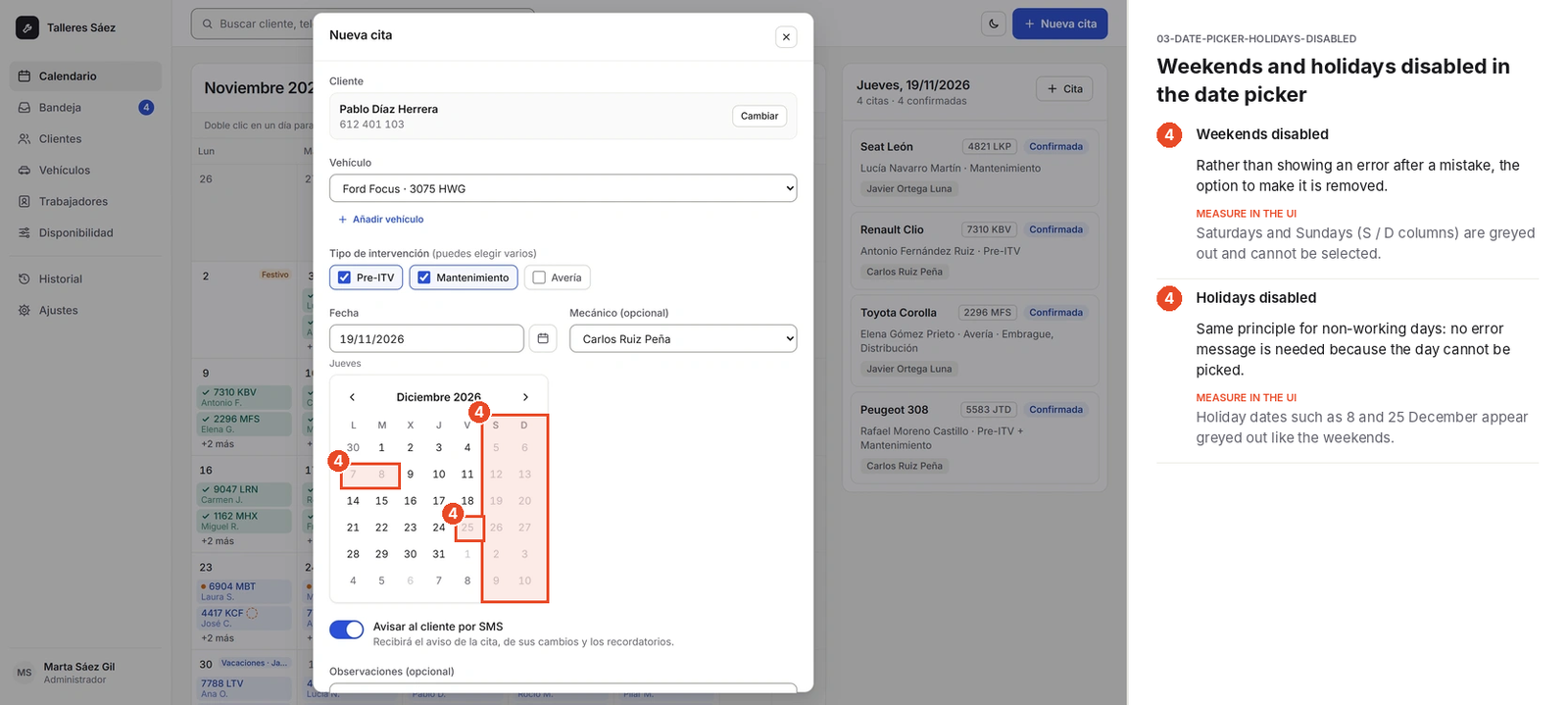
Make mistakes impossible, not just unlikely
Focus
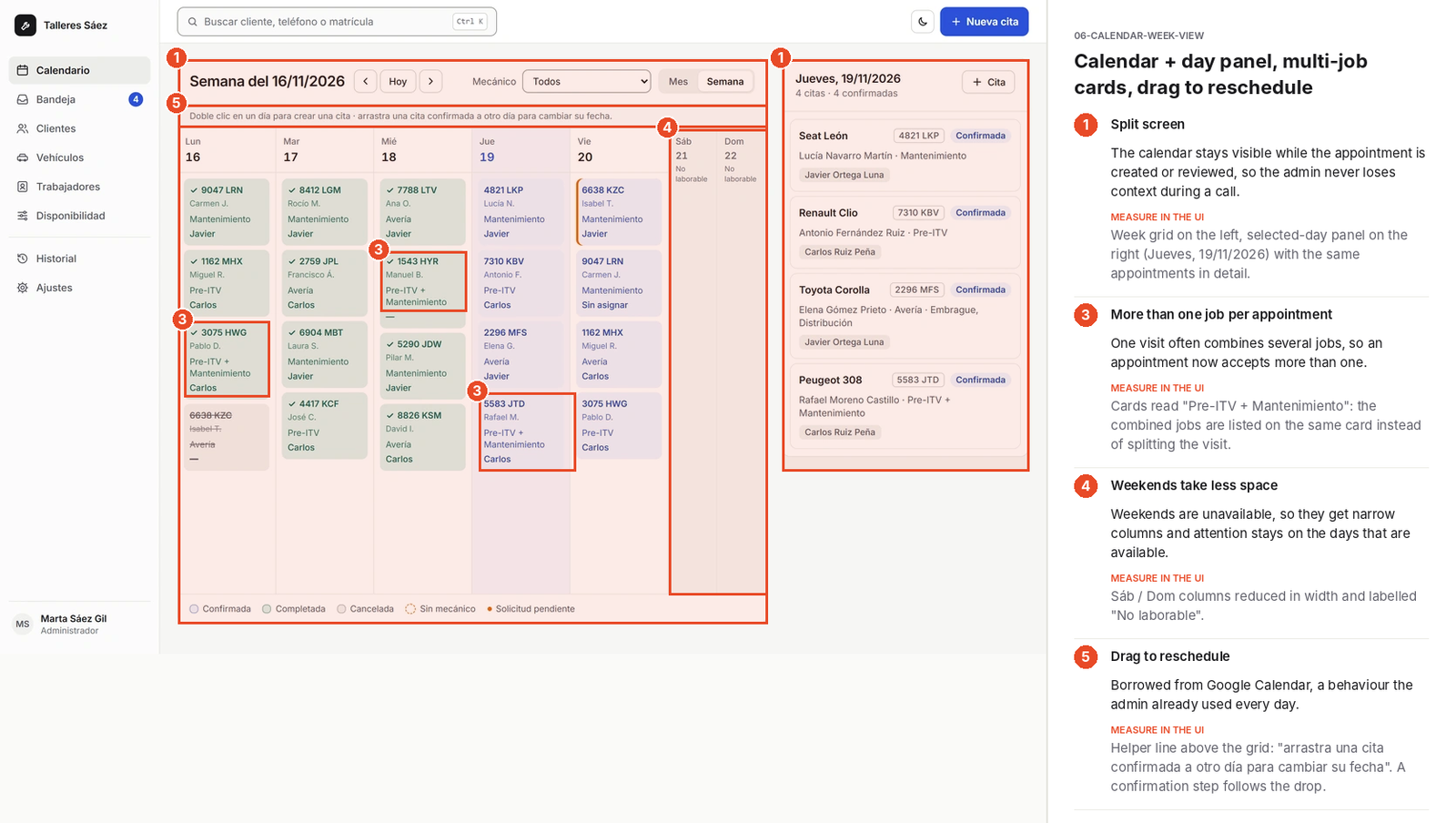
Each role sees only what it needs
Solution
I designed three flows, one for each user.
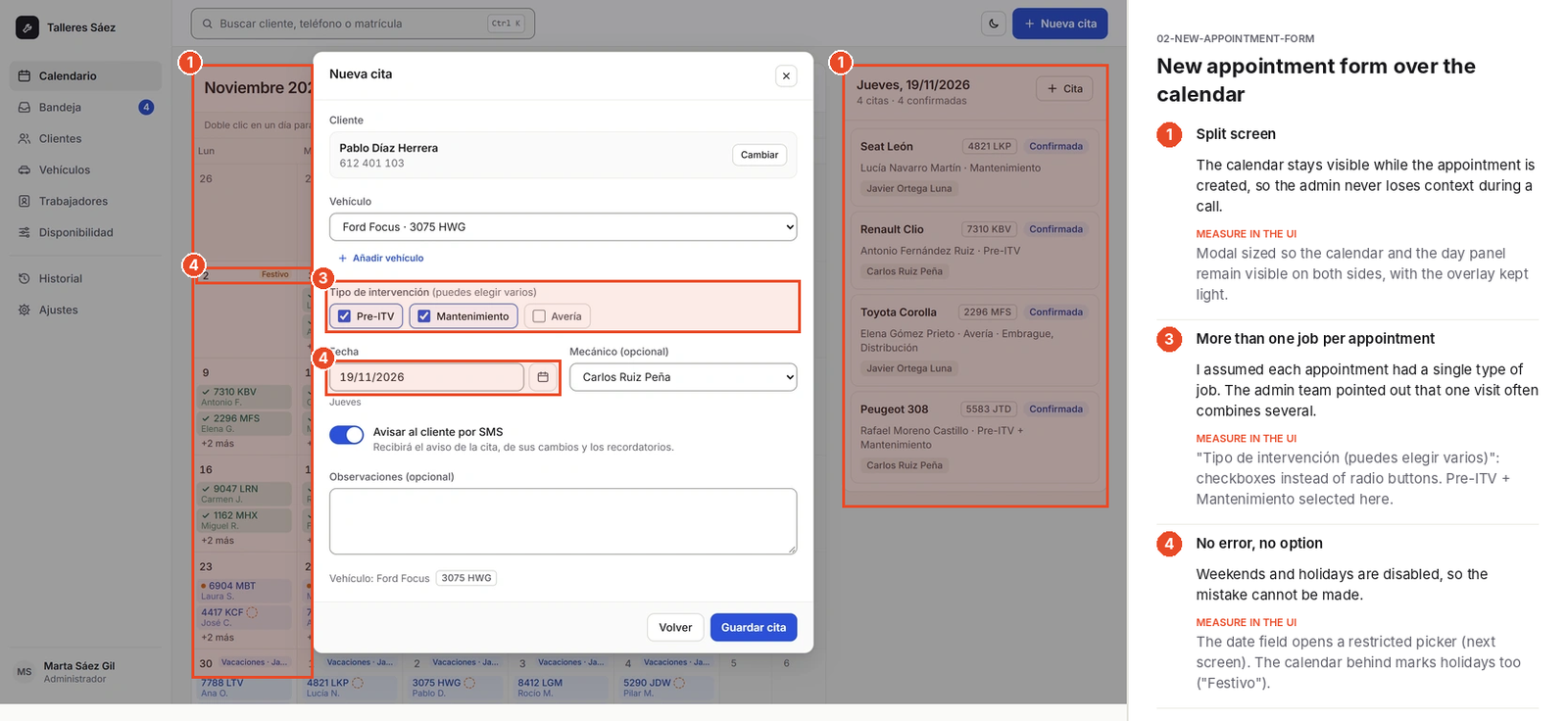
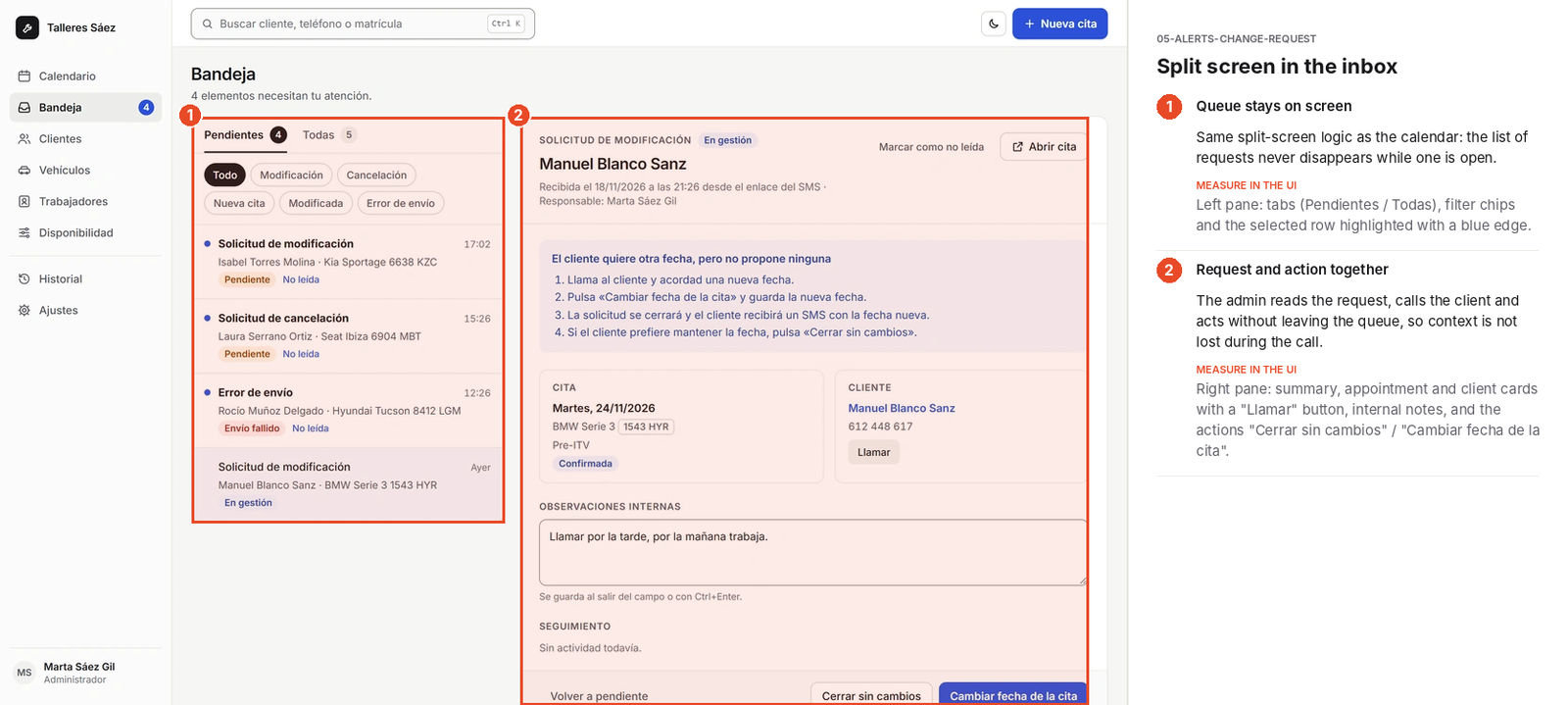
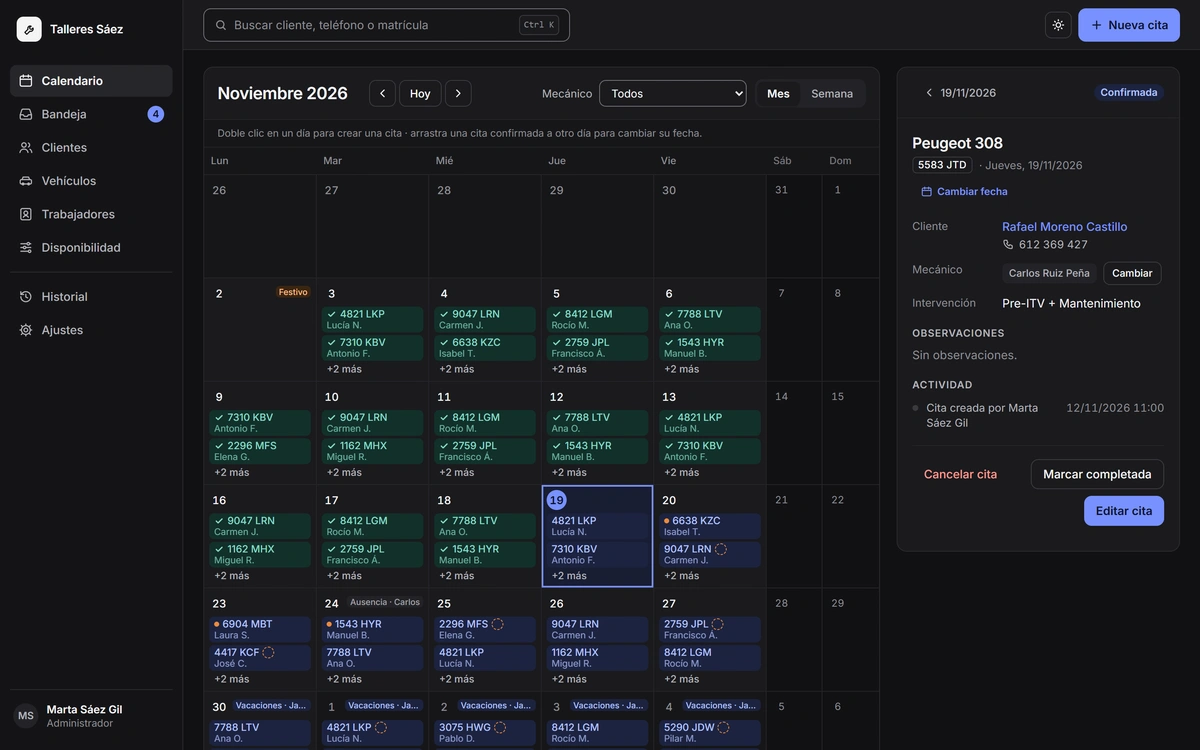
Step 1: Create and manage an appointment
Objective: The admin books an appointment in under a minute without leaving the calendar.
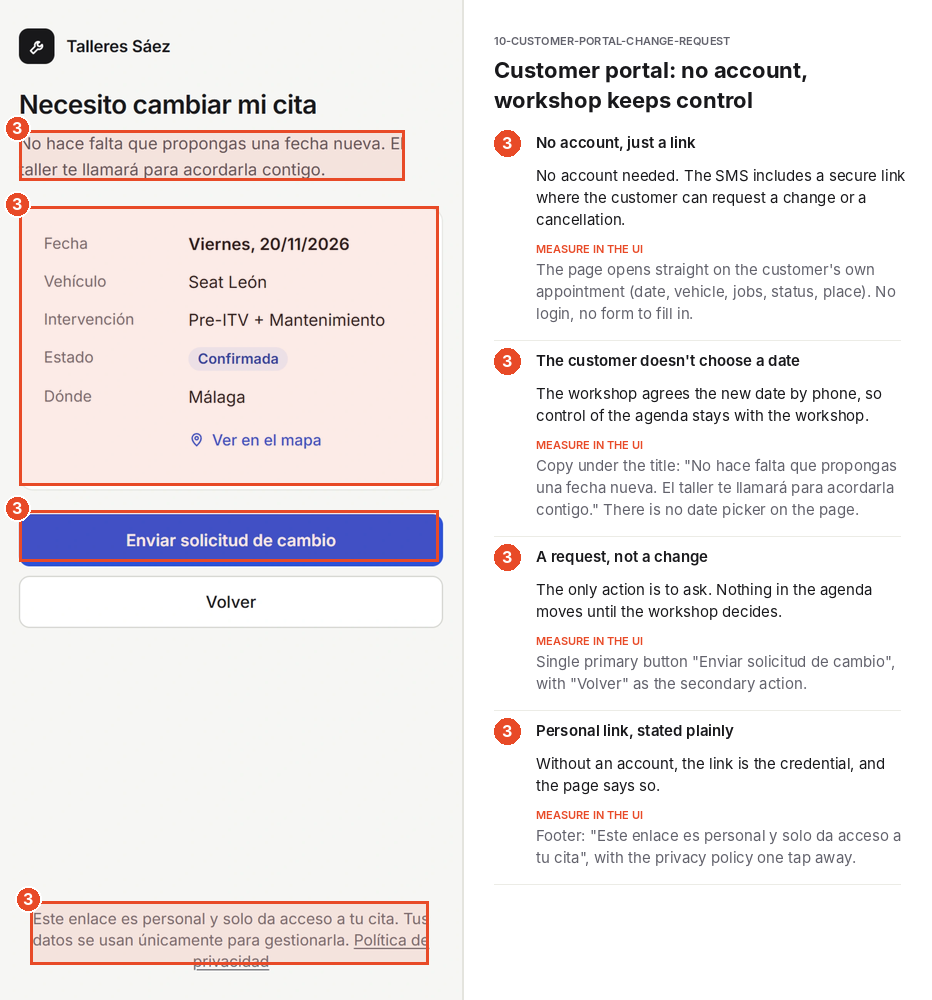
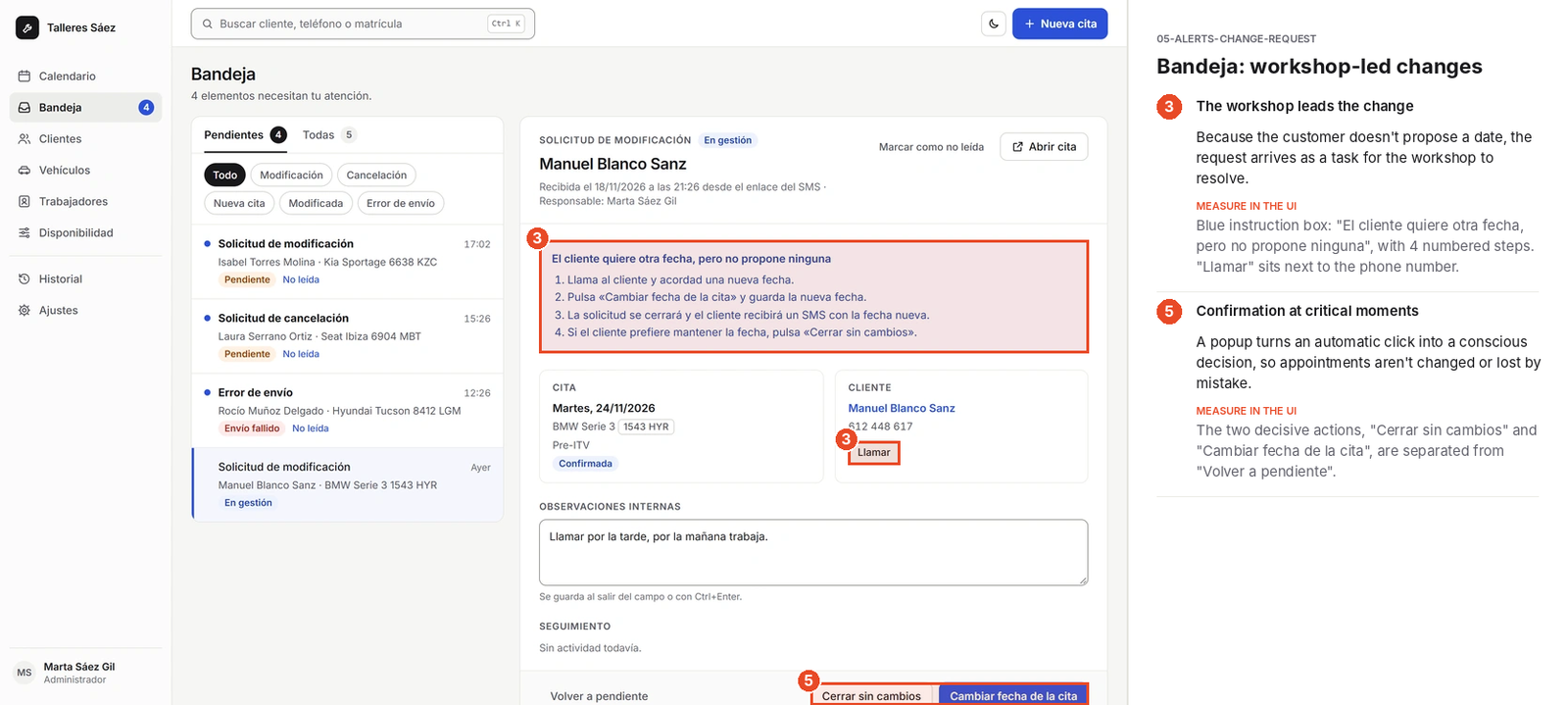
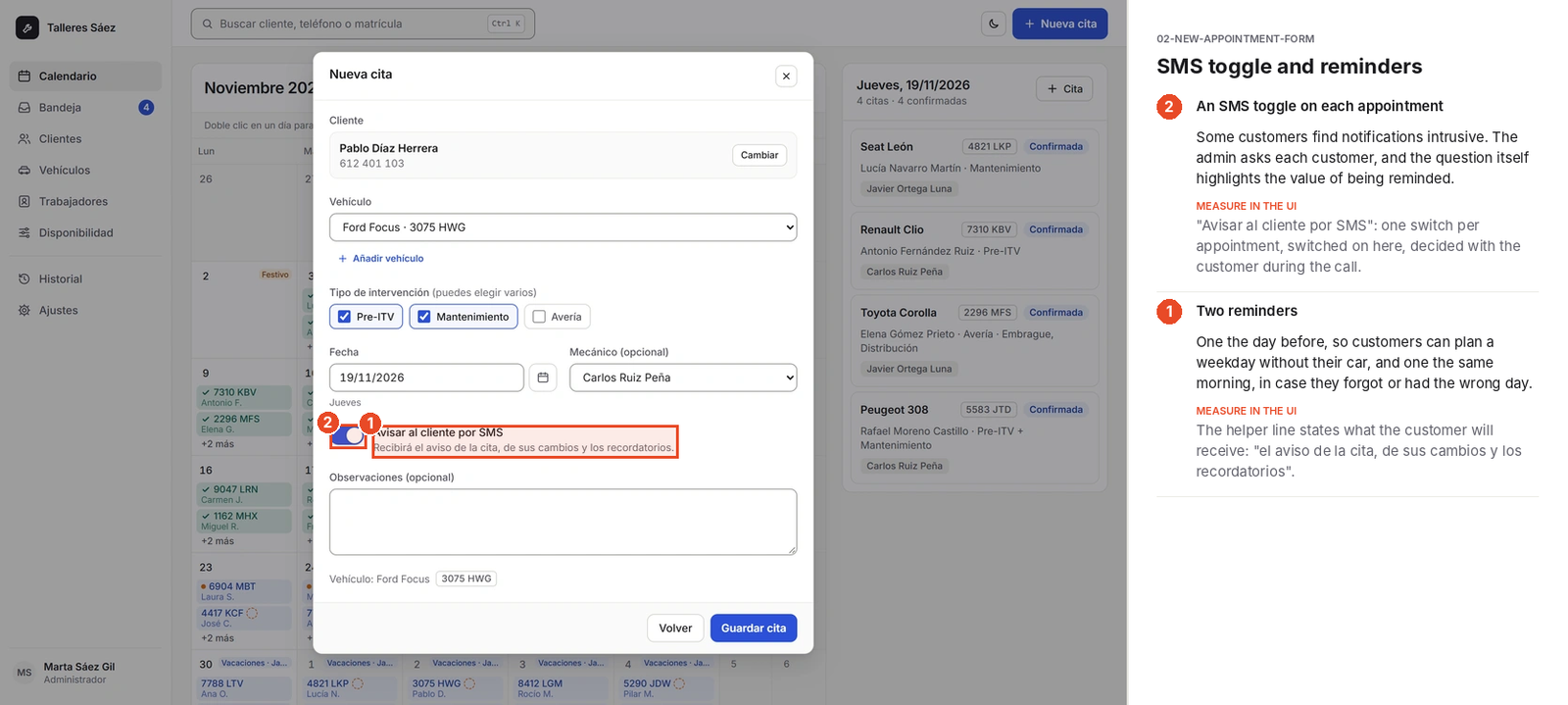
Step 2: Remind the customer and handle changes
Objective: Customers remember their appointment and can ask for changes without calling.
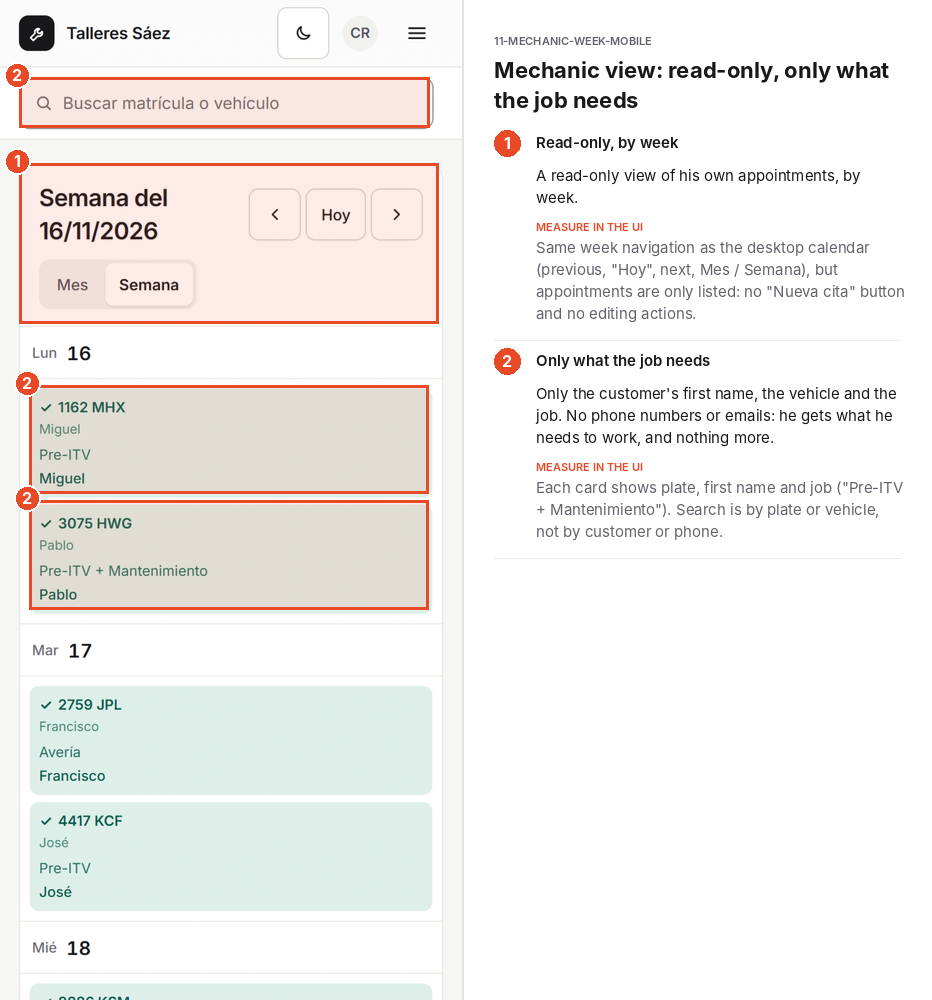
Step 3: The mechanic sees his week
Objective: The mechanic knows what’s coming, today and three weeks from now.
Design system
A small design system served as the contract between my decisions and the AI-generated code.
Tokens first. Light and dark themes, one accent colour, borders instead of shadows, and WCAG-checked contrast. Every status uses colour, shape and text together.
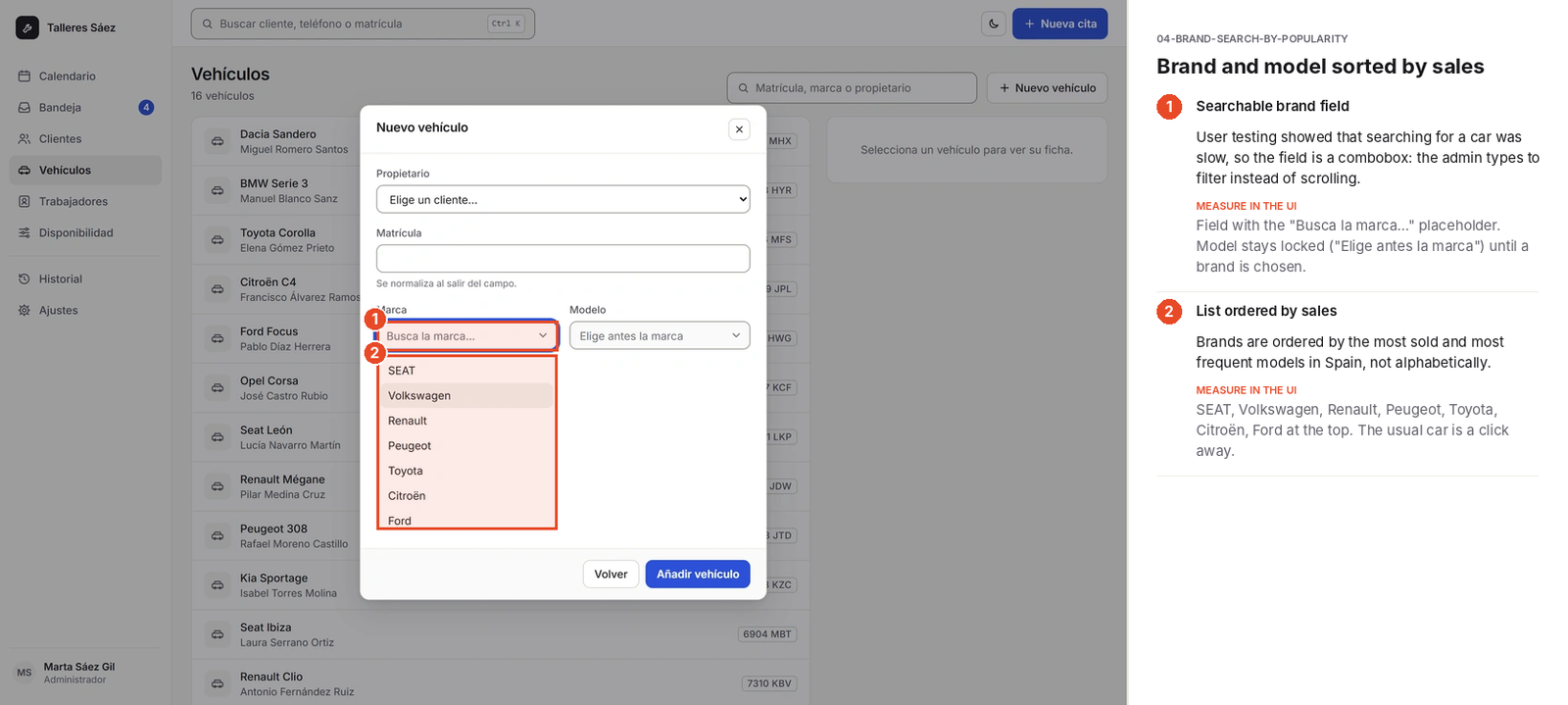
About 10 reusable components. New needs, such as the brand search, became system components rather than one-off fixes.
Result: screens built on different days look and behave as one product, and accessibility and dark mode came at no extra cost.
Learnings
Explaining a problem clearly is a design skill.
The better I defined it, the less the AI had to guess.
Small, reviewable tasks beat big prompts.
Speed came from cutting work into small pieces, not from generating more at once.
User testing = uncertainty
Testing with real users catches the assumptions you didn’t know you had.
More is less
In a small business, removing steps is worth more than adding features.