
#StudyCase
CRO using Behavioral Design
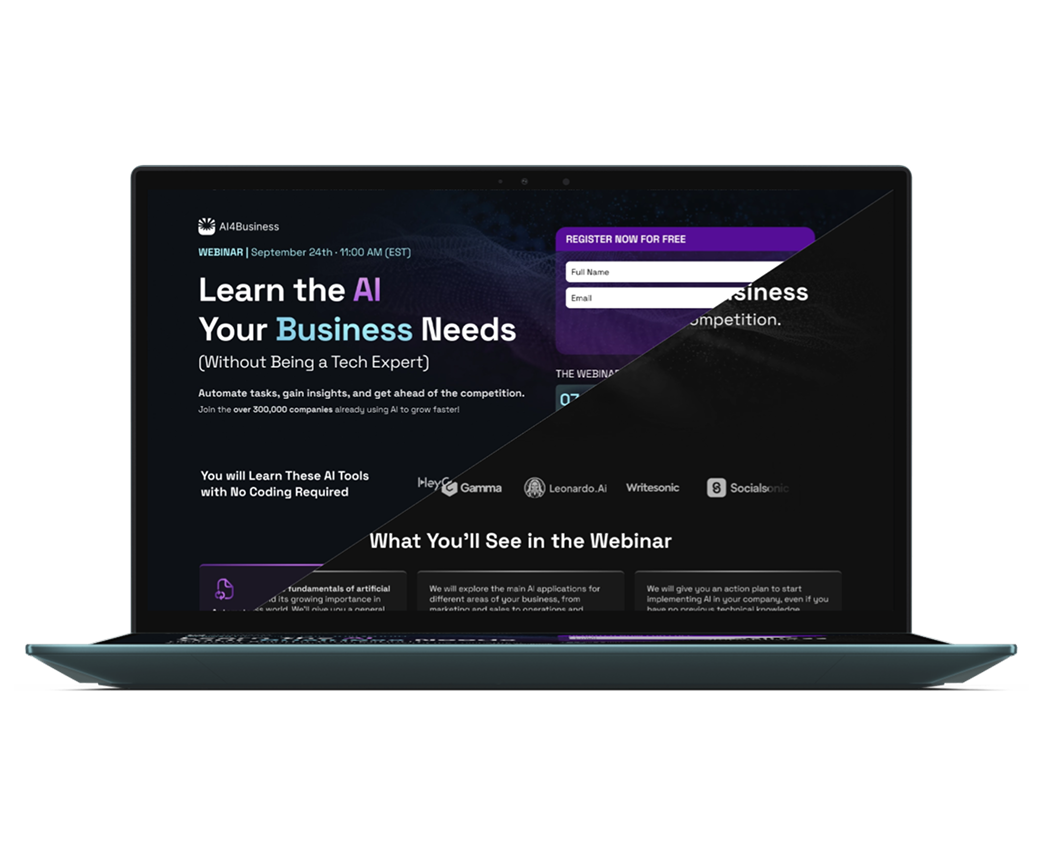
This project is focused on increasing registrations for a webinar about applying AI in business without coding. The redesign applied Behavioral Design principles, reducing cognitive overload, clarifying value in the first screen, and leveraging urgency and social proof to drive action. The result: a 63% lift in conversion, longer engagement, and deeper scroll.
| Sector | Education · AI · Marketing |
| Challenge | Low conversion, overload, lack of urgency |
| Rol | Product Designer (CRO) |
| Duration | 3 weeks |
Behavioral Design in Action: From 8.4% to 13.7% Conversion on a Webinar Opt-in
For confidentiality and privacy reasons, I cannot disclose the name or visual identity of the company behind this project. However, the visuals presented have been adapted while maintaining the essence of the design and the type of original content, to faithfully illustrate the process, design decisions, and results without compromising sensitive brand information.
The client organized a free webinar on applying AI to business without coding, targeting business owners audiences. The challenge was to increase the number of sign-ups on the landing page, as the initial conversion rate was low and traffic came from paid campaigns.
My role as Product Designer was to identify friction points, apply Behavioral Design principles, and measure results through an A/B test.
1. My Role
- Research on user contexts and metrics.
- Identification of friction points and problems
- Application of Behavioral Design heuristics
- Redesign of copy, visual hierarchy, and form
- Coordination of A/B test and results analysis
2. Problem Identified
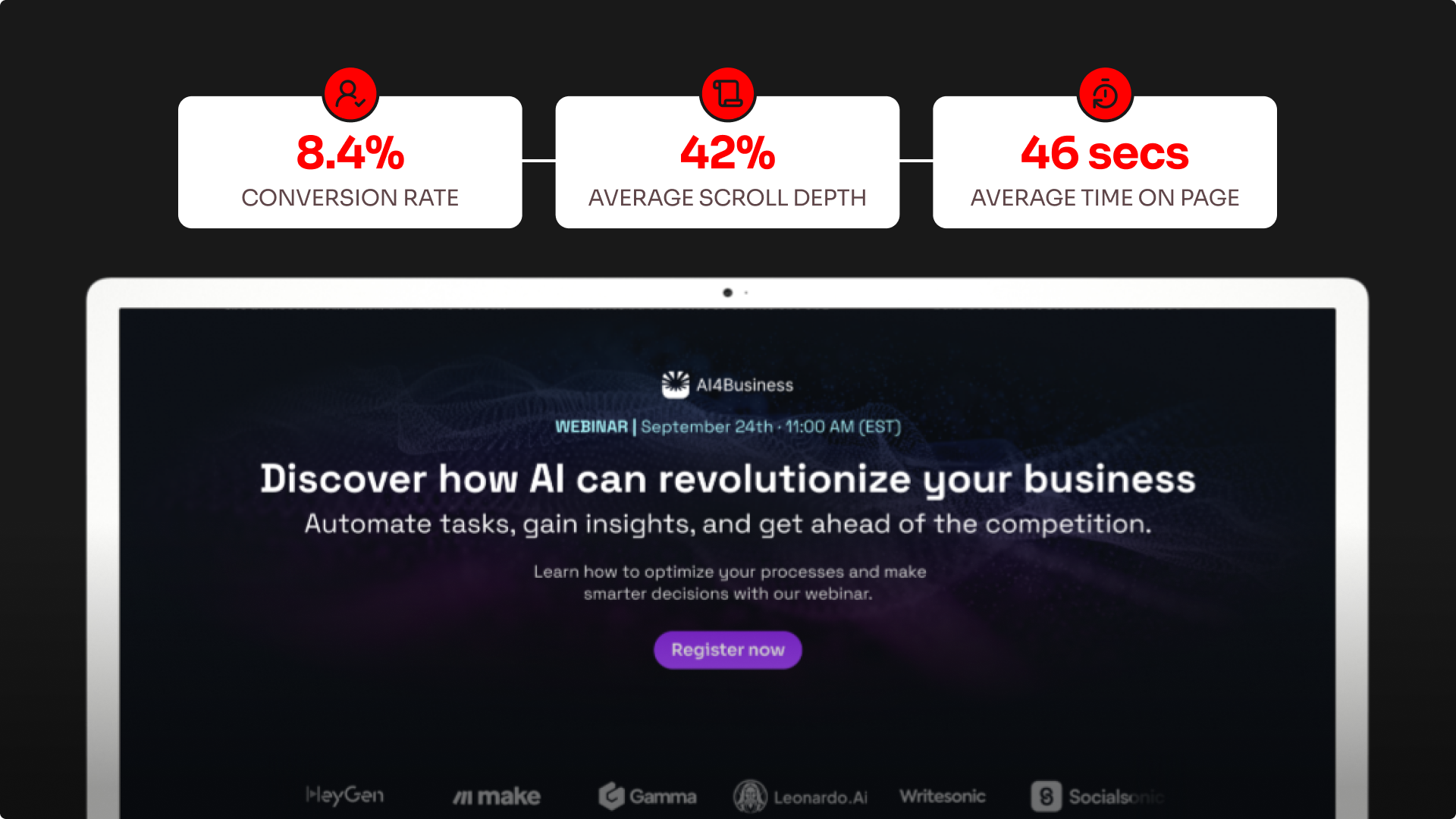
Metrics analysis revealed:
- Average time on page: 46 seconds
- Average scroll depth: 42%
- Conversion rate: 8.4%
Many users left before reaching the form. This indicated information overload and unclear value proposition.
3. Research and User Contexts
To go beyond surface-level metrics, I applied User Context Theory.
This framework helps uncover hidden frictions by analyzing the environment in which users interact with the product. Each context directly informed my design decisions:
📱 Physical
Insight: Majority of traffic came from mobile devices.
Implication: Users have limited screen space and shorter attention spans.
Design Decision: Clear visual hierarchy and a short, simplified form.
⏳ Temporal
Insight: The webinar had a fixed date and time.
Implication: A natural opportunity to trigger urgency and scarcity.
Design Decision: Countdown timer + limited spots messaging.
👥 Social
Insight: Audience felt FOMO seeing peers already experimenting with AI.
Implication: Social proof could increase trust and motivation.
Design Decision: Added testimonials and a registrants counter.
💡 Emotional
Insight: Users were curious about AI but intimidated by its complexity.
Implication: Fear of “not being tech-savvy” could prevent sign-up.
Design Decision: Reassuring, jargon-free copy highlighting simplicity.
🧩 Capability
Insight: Most participants had low technical knowledge.
Implication: Overly technical language would alienate them.
Design Decision: Plain-language microcopy, no code emphasis.
🔎 Awareness
Insight: Users were at awareness level 2–3 (know they need AI, but think it’s complex).
Implication: Needed a differentiator to break this belief.
Design Decision: Messaging focused on “AI without coding.”
4. Design Decisions with Behavioral Design
Based on the contexts, I identified 8 key problems and applied heuristics:
| Problem | Applied Heuristic | Solution Implemented |
|---|---|---|
| Information overload | Hick’s Law | Simplified copy and bullet points. |
| Unclear value above the fold | Primacy Effect | New hero with clear benefit and visible form. |
| Lack of urgency | Temporal Scarcity | Countdown timer and mention of limited spots. |
| No social proof | Social Proof (Cialdini) | Block with number of registrants and testimonials. |
| Complex form | Frictionless UX | Reduced to 2 fields (name + email). |
| Technical language | Simplicity Effect | Accessible, reassuring microcopy. |
| Weak visual hierarchy | Fitts’ Law + reading patterns | Visual reorganization and repeated CTA. |
| Cultural misalignment | Group Identification | Examples relatable to businesses. |
5. Methodology
- Experiment type: A/B Test
- Duration: 3 weeks
- Sample size: 8,200 visits (4,100 per variant)
- Distribution: 50% original landing (A), 50% optimized landing (B)
- Primary metric: conversion rate
- Secondary metrics: average time on page and % scroll depth
- Tools: WordPress + Google Analytics
6. Results
Behavioral design-based changes improved message clarity, reduced friction, and reinforced urgency and trust.
This resulted in 63% higher conversion, longer session duration, and deeper scrolling, validating that simplicity and behavioral triggers enhance performance.
| Metric | Landing A (Original) | Landing B (Optimized) | Comparison |
|---|---|---|---|
| Conversion | 8.4% | 13.7% ⬆️ | +63% |
| Avg. time on page | 46s | 1m 22s ⬆️ | +36s |
| Avg. scroll | 42% | 68% ⬆️ | +26pp |
7. Conclusions and Learnings
- Applying Behavioral Design uncovered hidden frictions (cognitive overload, lack of urgency, missing social proof).
- Redesigning the experience not only improved aesthetics but also significantly increased conversion and ROI of acquisition campaigns.
Key takeaway: the most effective changes were clarity above the fold + urgency + social proof.